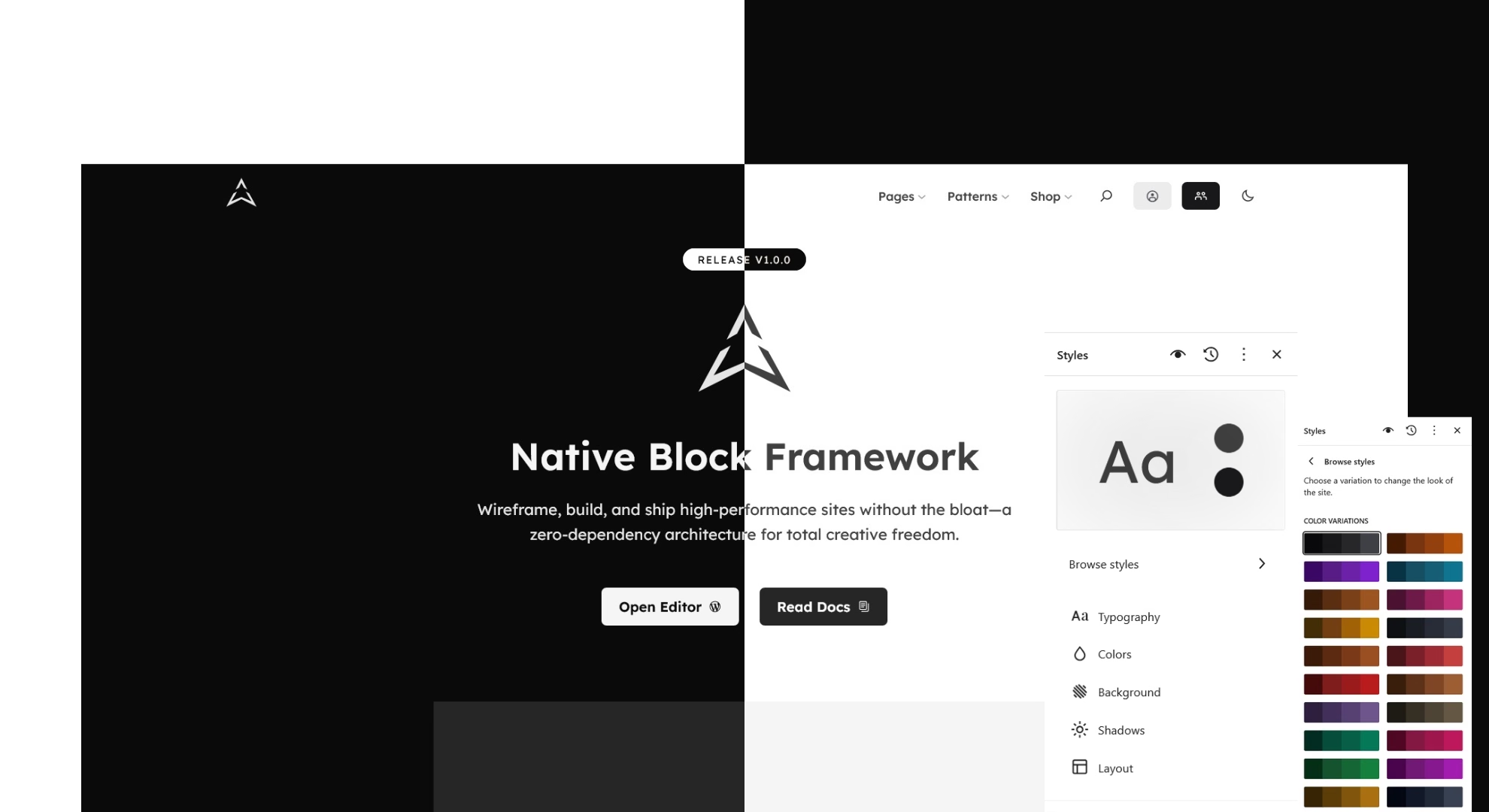


A block theme that ships almost nothing hands you the first week of every project: a color scale to write, a template set to assemble, and patterns to draw before a client sees a page. A multipurpose block theme that ships all three changes that first task into one of selection, and it asks you to learn what the theme already covers.
We released the Aegis Block Theme 1.0.0 on October 12, 2026, and it belongs to the second kind. It ships a token-based design system, a library of 236 patterns, WooCommerce templates, so a blog, a shop, and an event site can begin from the same foundation. That is our position: the theme is a design foundation and not a blank base, and it serves the developer who wants one starting point for many kinds of sites.
Version 1.0.0 requires WordPress 7.0 and PHP 8.1, and we recommend PHP 8.2. It is tested up to WordPress 7.1.3. Every feature in this introduction belongs to the Aegis Block Theme unless it is attributed to another product, and the companion plugin and Aegis Pro are separate products that are not released.
Made From Our Own Need
We began developing Aegis in mid 2022, when block themes were new in WordPress core. WordPress 5.9, released in January 2022, introduced them, with templates and template parts written in HTML and styling set through theme.json.
Developers who came from what are now called classic and hybrid themes, a hybrid theme being a classic theme that adds block features, had to decide how much of the new model to adopt, and the model kept moving: style variations arrived with WordPress 6.0 only a few months later.
We met that change from both sides, as developers and as users of classic and hybrid themes, and the challenges were practical. We adjusted a block theme to our needs and ran into what we experienced as inconsistencies in WordPress’s own approach to block themes, so we went back and forth many times, redoing much of the theme codebase and adding and removing features along the way.
In the end we decided to add our own framework to the theme and to move in a direction where we felt more comfortable, with creativity and flexibility in mind. Version 1.0.0 is the release of that work.
What the theme offers is core native, and we plan to keep it that way. We enhance the core blocks WordPress already provides instead of reinventing them, with performance in mind, and that is the line we intend to hold as the theme grows.
The theme is licensed GPL-2.0-or-later and uses the text domain aegis. If you already work with theme.json, patterns, and child themes, the structure will be familiar, and the Theme Handbook chapters on global settings and styles, block patterns, and child themes cover the platform side.
Tokens Before Templates
On an Aegis project, most visual decisions are choices among named presets and not values you invent. The design system is defined in theme.json, schema version 3, before any template exists, and the excerpt below shows the part of it that clears the ground.
{
	"version": 3,
	"settings": {
		"color": {
			"defaultDuotone": false,
			"defaultGradients": false,
			"defaultPalette": false
		},
		"layout": {
			"contentSize": "min(calc(100% - var(--wp--preset--spacing--lg,3rem) * 2), 720px)",
			"wideSize": "min(calc(100% - var(--wp--preset--spacing--lg,3rem) * 2), 1200px)"
		}
	}
}The three false values under color switch off the default WordPress palette, duotones, and gradients, so the editor offers the Aegis presets in their place, and defaultPresets: false for shadows and defaultFontSizes: false for type do the same elsewhere in the file. The layout values set the content width at 720px and the wide width at 1200px, each written with min() against the viewport, which keeps both widths inside a narrow screen.
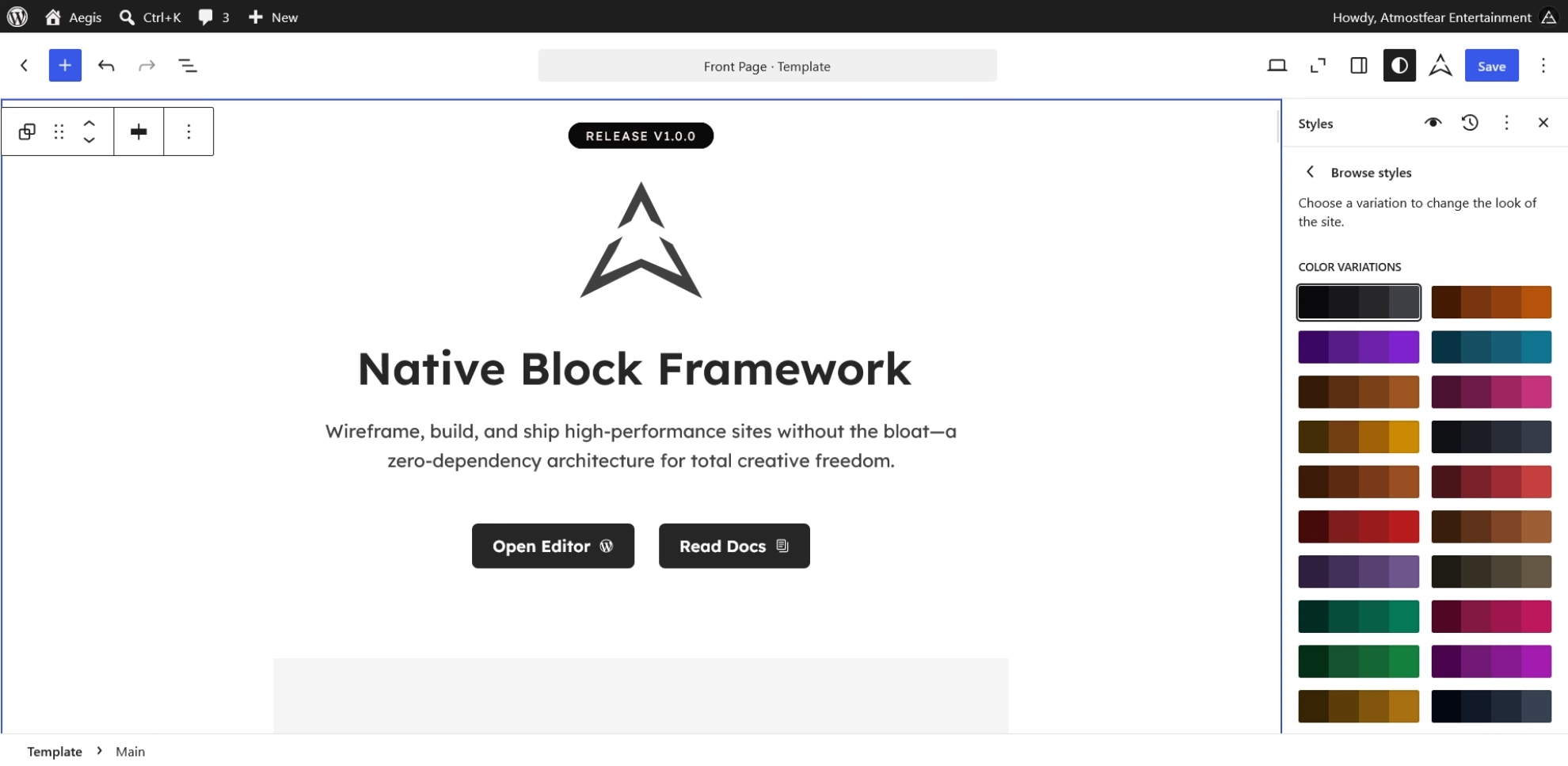
The scales behind those settings are large enough that a client’s brand has somewhere to land. The palette holds 40 entries in nine color families of 11 or 12 steps, and spacing runs in 11 steps from 4px to 96px. A spacing scale that ends at 96px leaves little reason to type a pixel value into a block.
What Loads Only When Needed
The frontend does not receive a single framework bundle, because the bundled framework loads its CSS and JavaScript when a page uses the feature that needs them. The three variable fonts, Lexend, Lexend Deca, and JetBrains, are declared in theme.json and served from the theme and not from Google Fonts.
The theme is frugal about assets, and it is not empty of them. style.css carries little styling of its own, and its heading hover rule shows how the theme writes CSS against its own tokens.
h1 a, h2 a, h3 a, h4 a, h5 a, h6 a {
	transition: color 0.2s ease;
}

h1 a:hover, h2 a:hover, h3 a:hover, h4 a:hover, h5 a:hover, h6 a:hover {
	color: var(--wp--preset--color--primary-500);
}The hover color comes from the --wp--preset--color--primary-500 custom property and not from a hex value, so the rule follows the palette instead of fixing a color of its own. We plan to trim the theme’s CSS further in later versions as blocks and theme.json evolve, which is an intention and not a dated commitment.
Dark Mode Is a Class
A site built on the theme opens in dark mode by default and also has a light mode, so the choice between them is one a developer can set and a visitor can change. On a new client project, you would begin by choosing one of the 60 style variations, which run from Amber to Zinc, and each carries its own dark palette.
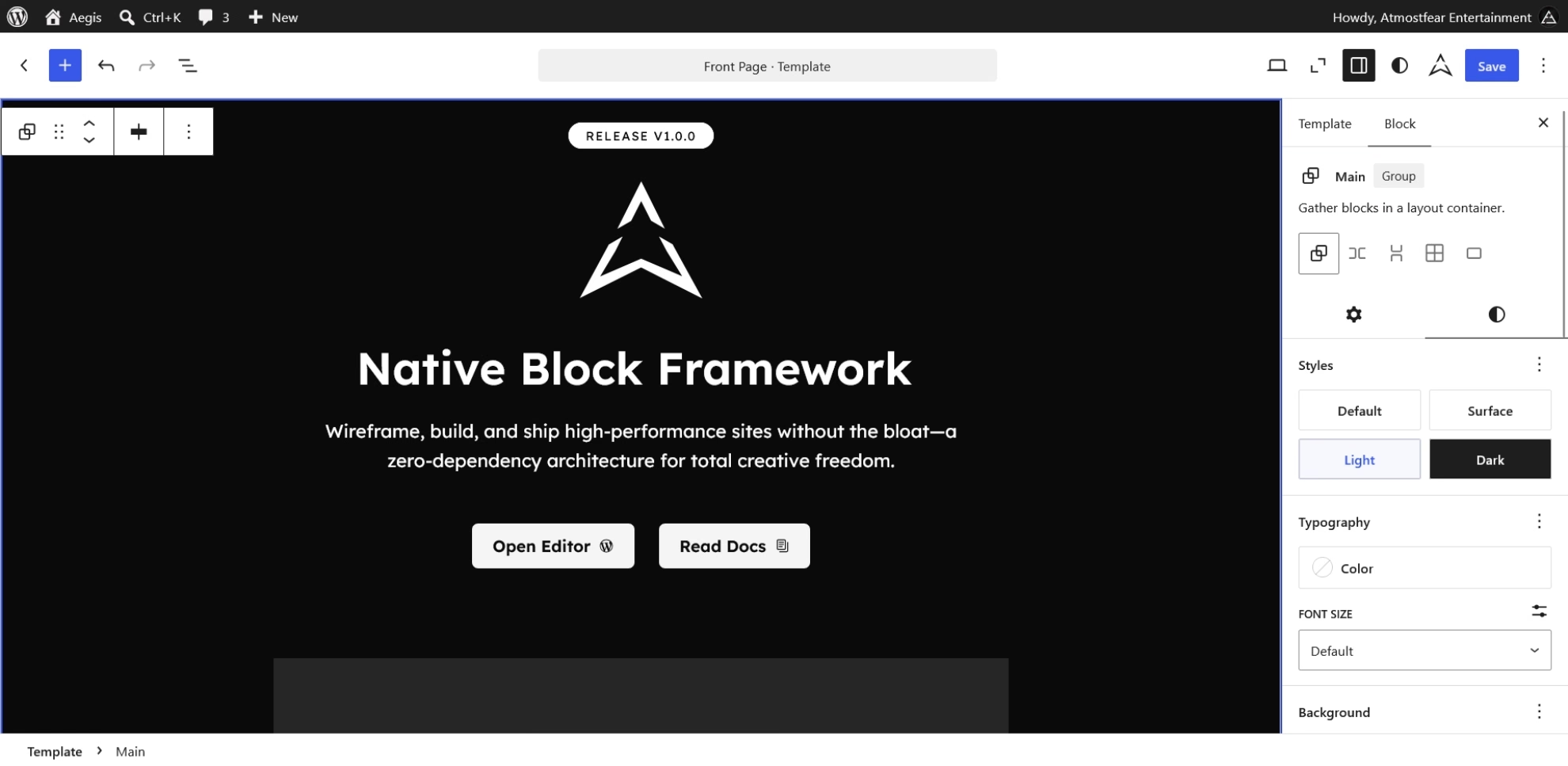
Dark mode is a class-based system on the body element, and it does not need a separate theme. The visitor toggle sets is-style-dark or is-style-light on body, and the choice persists in localStorage. The documented order is the visitor’s choice first, then the theme default, set as default-mode-dark, default-mode-light, or default-mode-system, and then the system prefers-color-scheme setting when dark mode is off.
The same class works on a single Core Group Block, so one section of a page can differ from the rest. The following markup is illustrative and shows the class on a Core Group Block.
<!-- wp:group {"className":"is-style-dark"} -->
<div class="wp-block-group is-style-dark">
	<!-- wp:paragraph -->
	<p>This section remaps the color tokens.</p>
	<!-- /wp:paragraph -->
</div>
<!-- /wp:group -->The aegis_dark_mode filter turns the feature on or off, and its documented default is true. For a client who wants a single dark section, such as a footer band or a call to action, the class is the whole mechanism.
Templates That Cover a Site
A blog, a set of landing pages, and a shop can all start from templates that already exist. The theme ships 50 HTML templates and three template parts, Header, Footer, and Sidebar, and the shop accounts for 17 of the templates.
On a new client project, a landing page, a contact page, and a maintenance page are assignments and not new templates, because Page: Landing, Page: Contact, and Maintenance already exist as page layouts. The archive set goes further, with category templates for Books, Events, Podcasts, Portfolio, Recipes, and Video.
Two behaviors deserve a plain statement. The shop templates apply when WooCommerce is active, and the framework hides them from the template picker when it is not. The theme also replaces the default oEmbed layout with embed-content.php, which outputs Article schema for embedded posts.
A Library for Many Sites
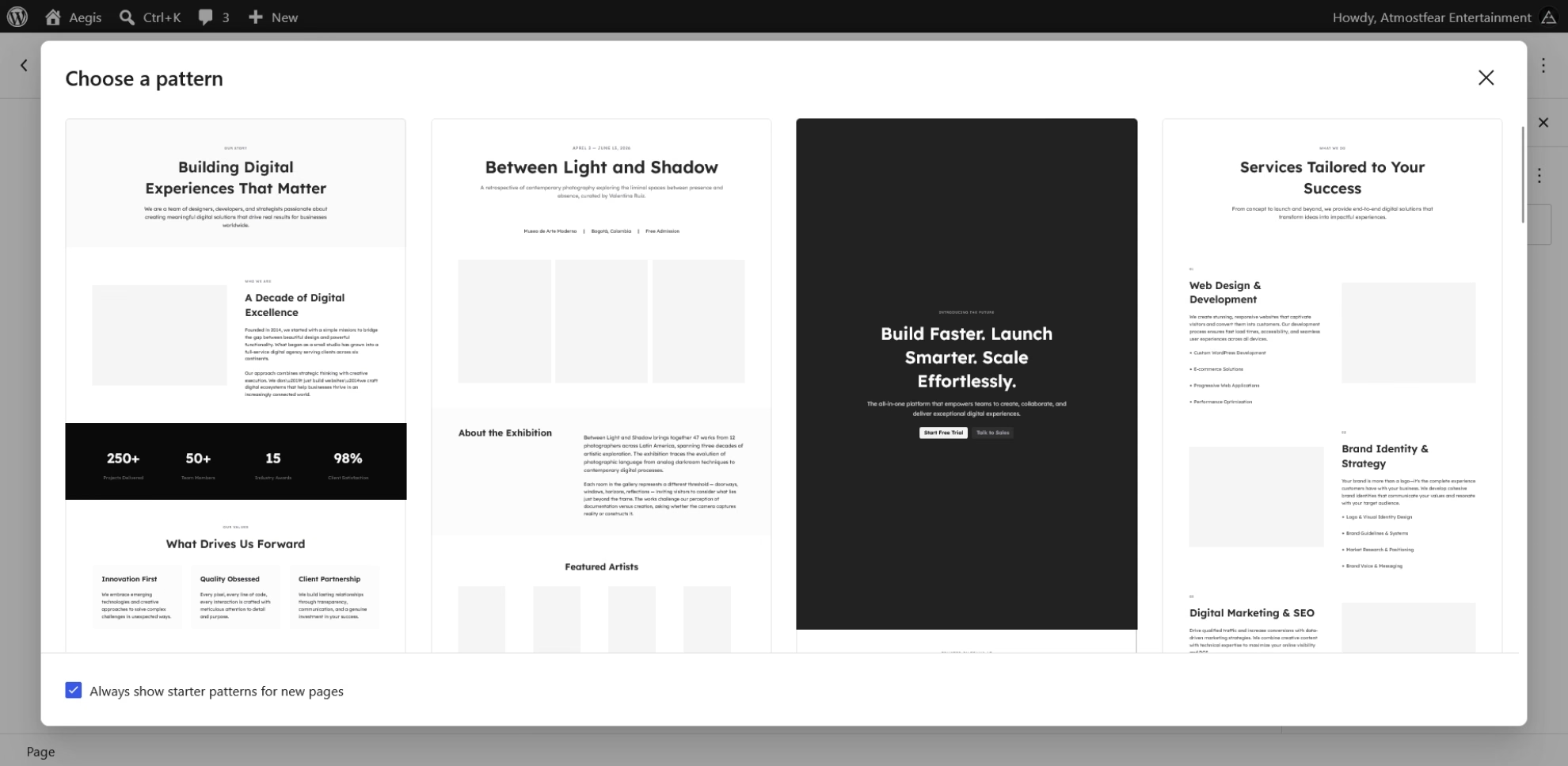
The pattern library is where the claim of a finished foundation is tested, because a library of this size only helps if you can find the part your project needs. The patterns/ directory registers 236 patterns across 29 folders, and the three patterns in the hidden category, all 404 layouts, stay out of the inserter.
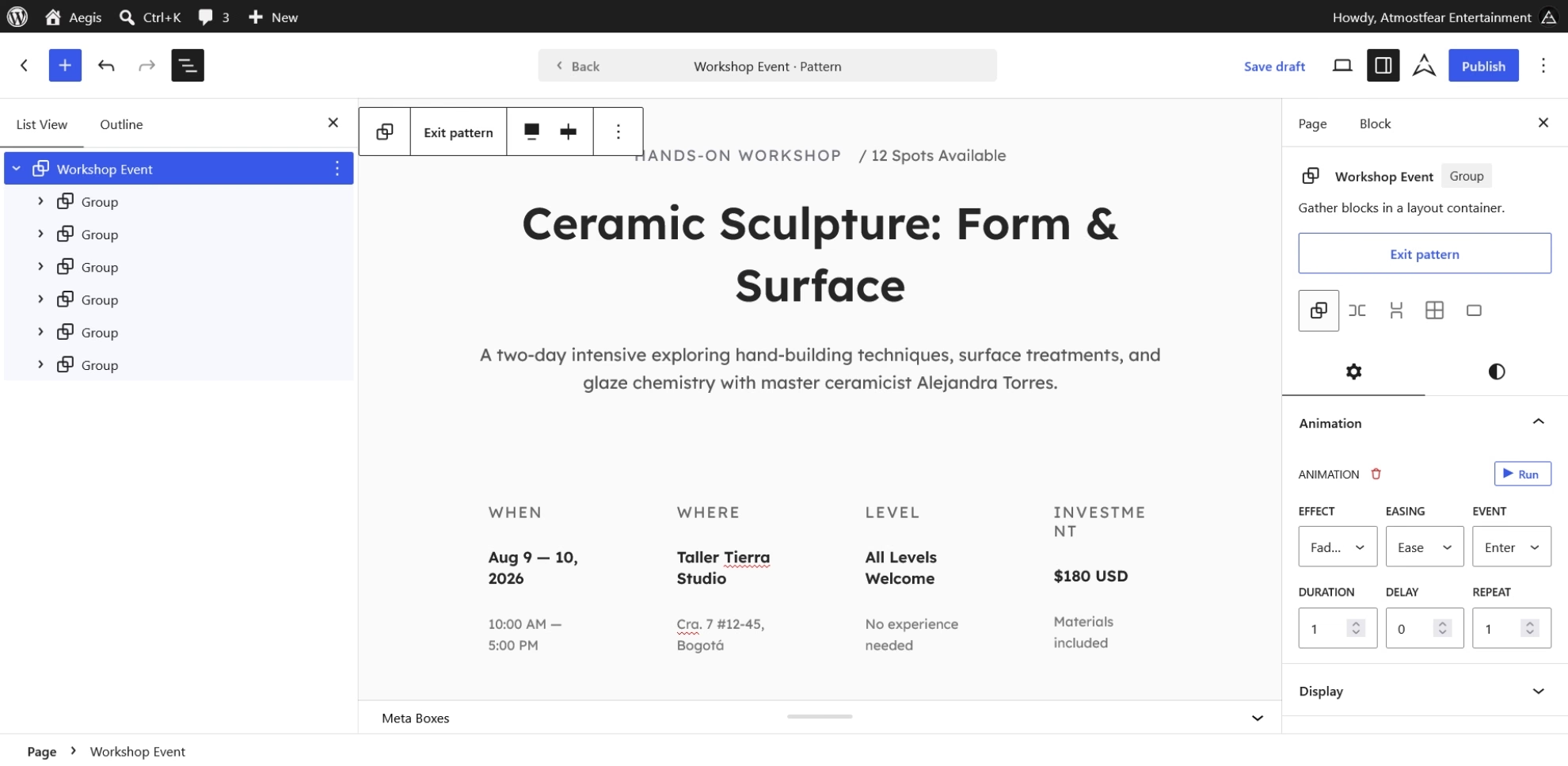
On a client project for a conference or an exhibition, you would find the work partly done. The event folder holds 28 patterns covering cinema, conference, exhibition, music festival, talk, and workshop layouts, and the pages folder holds a full-page version of each, so an event site can begin as an arrangement of existing pieces.
The cost of that range is orientation. A client who needs an affiliate or medical disclaimer has one ready, and a shop gets eight commerce patterns, but with this many folders, knowing where to look is part of the job.
A theme that shipped 235 patterns without tokens would be a gallery, and a theme that shipped tokens without patterns would be a blank base with good manners. Aegis ships both, and that pairing is the substance of the claim in this introduction.
Blocks Without a Plugin
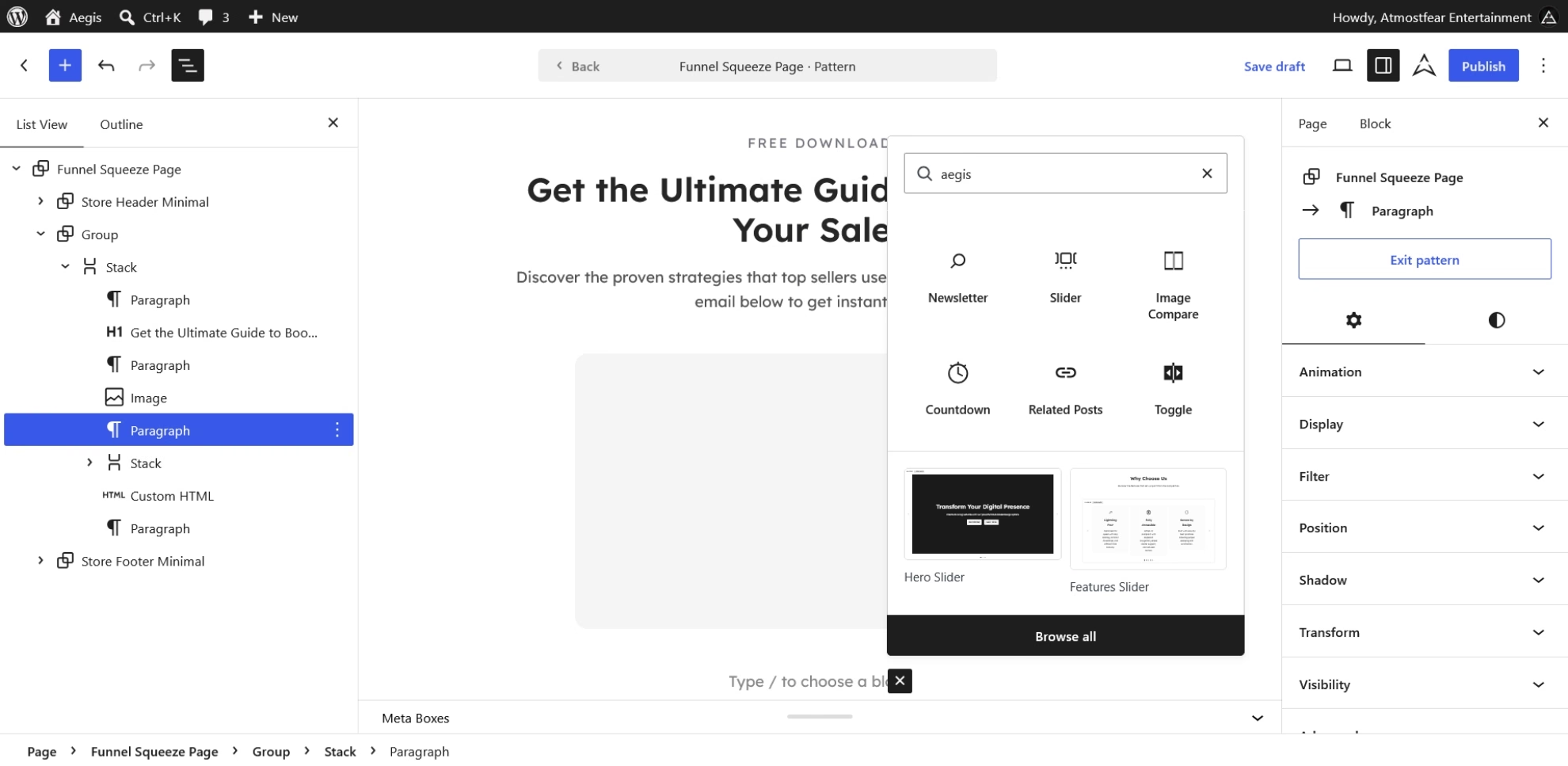
We add a custm block only when a pattern or a template cannot do the same work on its own, which is why a timeline is a pattern here: Timeline Horizontal, Timeline Stacked, and Timeline Vertical ship as patterns and not as a custom block. Where a custom block is needed, the theme registers six of its own, Countdown, Slider, Slide, Toggle, Toggle Content, and Related Posts (aegis/related-posts), and they work without the companion plugin, so countdowns, sliders, and toggles are available the moment the theme is active.
The bundled framework adds seven variations on core blocks, among them Accordion List on core/list, Marquee on core/group, and Counter on core/paragraph. It also adds 21 inspector controls, such as Animation, Responsive, and Conditional Logic, and Visibility options that shows and hides blocks on the server, among other things.
Icons follow light and dark mode because the four icon collections on the Core Icon Block (core/icon) use currentColor fills. Four navigation overlay styles are registered, and submenus on core/navigation-submenu support multi-column mega menus.
Ready for WooCommerce
On a new client project that sells products, you would find the shop already templated, because the theme includes our initial WooCommerce integration. The 17 shop templates cover product archives, single products, the cart, checkout, and order confirmation, and a multi-step checkout template belongs to the theme.
We plan to extend that integration into a fully supported WooCommerce theme with new features, which is an intention and not a dated commitment. We have no plans to build other commerce plugins into the theme unless a valid proposal makes the case, and the discussion forums described below are the place to make one.
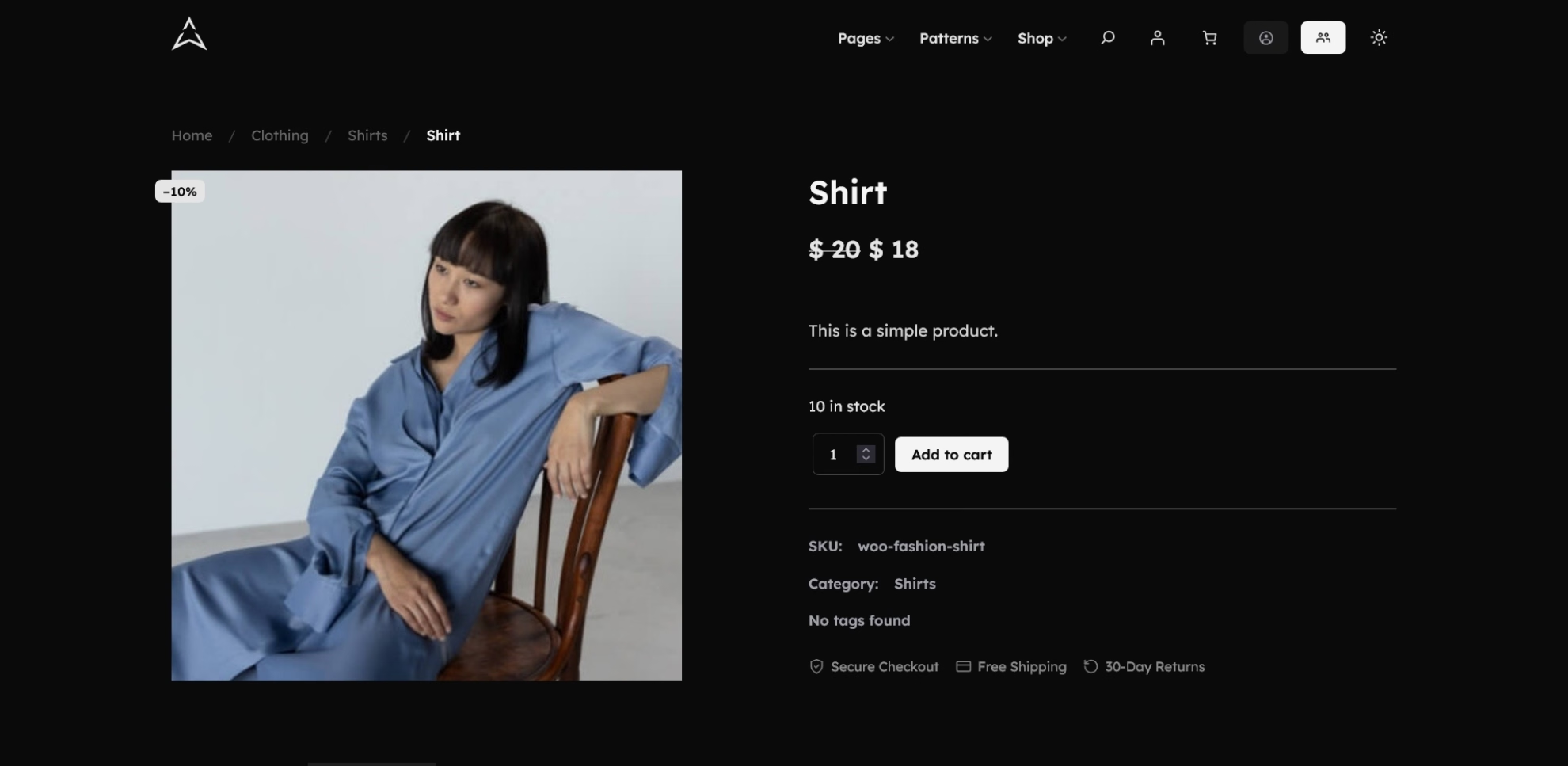
With WooCommerce active, the framework also styles the sale badge, the product gallery lightbox, and the WooCommerce breadcrumbs. Breadcrumbs follow the Core Breadcrumbs Block (core/breadcrumbs) and carry matching styles for Rank Math SEO, SEOPress, and Yoast SEO when their markup is present, so a site that takes its breadcrumbs from an SEO plugin keeps them in step with the theme.
The theme’s bundled stylesheets cover 14 plugins in all, among them Fluent Forms and LifterLMS, and each applies only when its plugin is present. The styles change how those plugins look and do not change how they work.
Accessibility, Stated Plainly
A theme can give an editor a sound starting point for accessibility, and it cannot certify what the editor builds on; Aegis claims the first and not the second. The starting point is concrete, and it is easiest to describe by who it serves.
For keyboard users, the framework injects the skip link after the header template part is rendered, so the header stays a sibling of the link and not a child of it, and the templates provide a main element with the id main as its target. Global links carry a focus outline of 2px in primary-500, and focus styles adapt to both light and dark mode.
For screen reader users, the interactive pieces carry their semantics with them. Slider exposes a carousel region with a live region for slide changes and Toggle works as a tab list with arrow-key navigation. Accordion List uses native details and summary elements, so it opens and closes from the keyboard without custom handlers, and the dark-mode toggle buttons carry an accessible label.
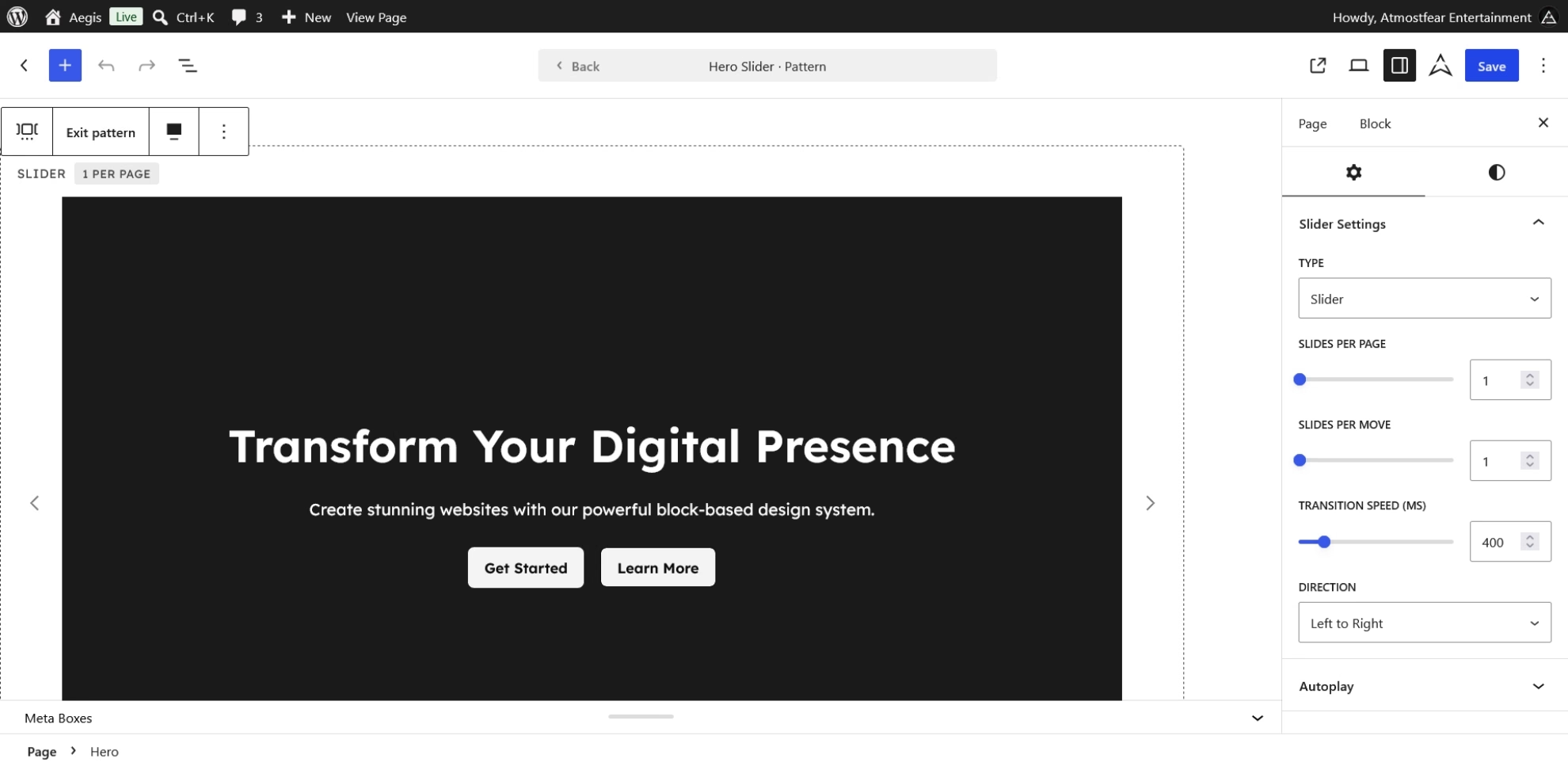
For visitors sensitive to motion, the motion-heavy features, among them the marquee, scroll animations, and the slider, respect prefers-reduced-motion through CSS media queries or script guards. The theme also supports right-to-left languages and ships a translation-ready aegis text domain, so the language of a site is not a barrier the theme adds.
What has been tested is narrower than what has been built. A static review of the theme’s code and markup was carried out against the Web Content Accessibility Guidelines (WCAG) 2.2 Level AA, covering theme.json, style.css, the templates, the template parts, the patterns, and the framework’s accessibility code.
It read the source and did not render pages or run automated tools, its verdict was a strong foundation and not full conformance, and we have fixed the issues it raised.
The accessibility of a finished site also depends on what an editor composes from the patterns, such as headings, link text, images, forms, and colors chosen on custom backgrounds, and the theme makes no WCAG conformance claim.
Extending From a Child Theme
A child theme extends a foundation and does not have to repair one. On a client project with a child theme, you would add your own pattern directory with the aegis_pattern_dirs filter, because the framework looks at both the parent and child pattern and icon directories, and the aegis_patterns filter changes the pattern list before it registers.
The framework fires aegis_before_{slug} and aegis_after_{slug} around a template part, for example aegis_before_header, and aegis_before_content and aegis_after_content around the main post content. The aegis_dynamic_template_part_slug filter swaps the header, footer, or sidebar at render time when parts/{slug}.html exists, and nothing changes until you use it. This introduction names the hooks and their roles only, and the documentation carries the full set.
What Sits Beyond the Theme
Aegis sits in a larger line, and four layers are easy to confuse. The theme core is what this introduction has described: the tokens, the templates, the patterns, and the six custom blocks. The framework is the code bundled inside the theme, which loads assets on demand, adds the block variations and inspector controls, and exposes the hooks and filters, and both of these layers ship in the theme itself.
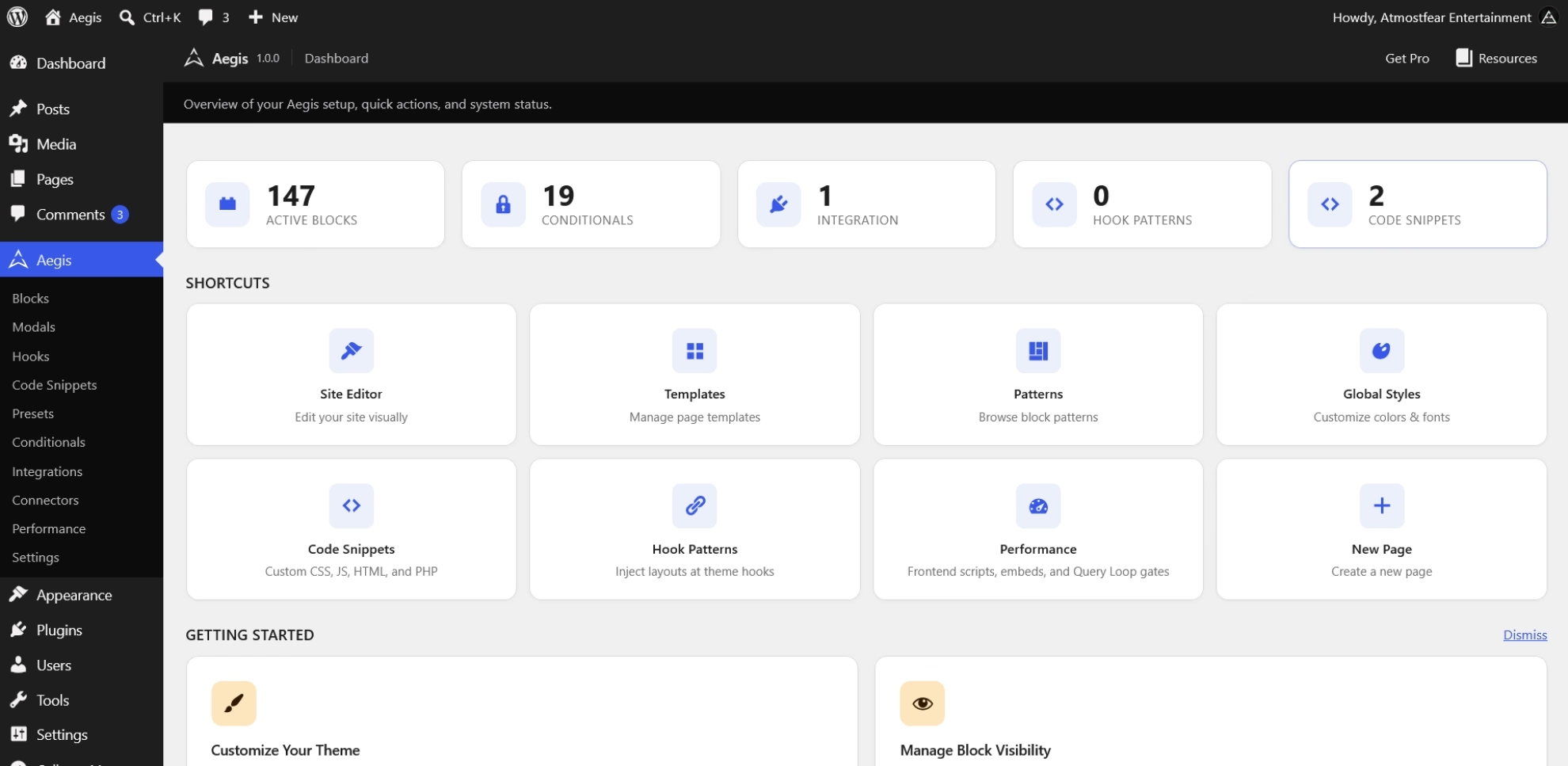
The third layer is made of separate products, the companion plugin and Aegis Pro, and neither is part of version 1.0.0. The Modal block, the modal patterns, the Integrations screen, the Aegis → Blocks screen that turns block variations off, the screen that turns SVG uploads on, and the extra lightbox controls for grouped navigation, zoom, and thumbnails are available in the companion plugin.
WooCommerce block patterns that use wp:woocommerce/* are registered by the companion plugin, and Page: Wishlist expects the TI WooCommerce Wishlist plugin and a wishlist pattern from the companion plugin. Extra checkout assets also load from the companion plugin, and only when that integration is on. Hook-pattern management, a custom post type that fills the injection points described above, and the Pro blocks are available in Aegis Pro.
The fourth layer is the optional integrations. The shop templates apply only with WooCommerce, and the stylesheets for the 14 supported plugins apply only when those plugins are present, so each integration depends on what a site installs and not on the theme alone.
These examples are not the full list. The companion plugin and Aegis Pro carry more features than these introduction names, and we will detail them as each product is released; this introduction states no date for either.
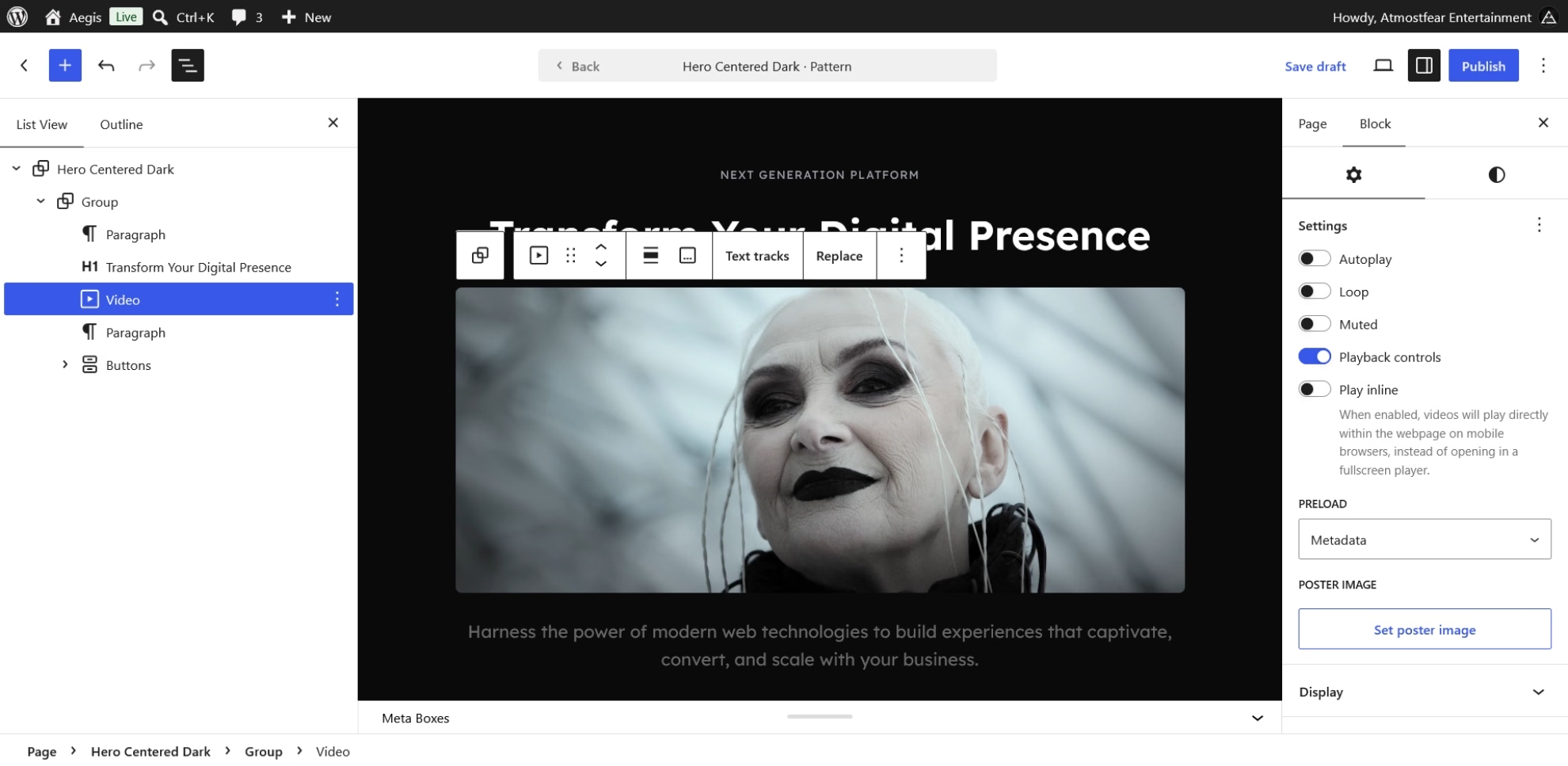
Smaller limits follow from the same boundary. There is no aegis/video block, and video uses core/video with the theme’s styling. In the core blocks it styles, the theme adds styling, supports, and inspector controls, and it does not replace core behavior.
Free, Documented, and Open
The theme is free, and version 1.0.0 is available from the Aegis Block Theme repository on GitHub, whose readme.txt carries the public summary of the release. This introduction reflects the 1.0.0 release files and the theme repository on the release day, which is where its counts and feature lists come from.
The documentation is in two parts: the docs directory of the repository, which follows development and is the more current of the two, and the project wiki, which is also updated regularly but lags the docs directory. The docs directory accepts contributions, so a gap you find there is one you can help close.
Anyone who wants to take part is welcome in the theme’s discussion forums on GitHub, and we encourage engagement there, from questions to proposals such as a commerce plugin integration you think belongs in the theme.
Donations are optional, and they support the work this introduction describes: maintaining the theme, extending its WooCommerce support, trimming its CSS as core evolves, and keeping the documentation current. If you would like to donate, you can do so through our PayPal donation page.
Who Should Start From This
Aegis serves best the developer who takes on different kinds of sites and wants one foundation for them, with tokens, templates, patterns, and WooCommerce views in place from the first day. That developer’s first task is selection, and the cost is orientation, which the size of the pattern library makes plain.
A developer who prefers an empty base should choose another starting point, because the palette, the 60 style variations, and 236 patterns all arrive with the theme. Sites on hosting below WordPress 7.0 or PHP 8.1 have to wait as well, since version 1.0.0 requires both, and a shop that needs more than the initial WooCommerce integration should weigh that its extension is planned and not shipped.
After so many years of work, we have finally released the Aegis, and we hope it suits the needs of many developers now and in the years to come. If you give it a try, please report back on what you thought of it in the theme’s discussion forums on GitHub, because we are community driven and your feedback matters to us.
Ready to Try Aegis?
Wireframe, build, and ship high-performance sites without the bloat—a zero-dependency architecture for total creative freedom.


Leave a Reply